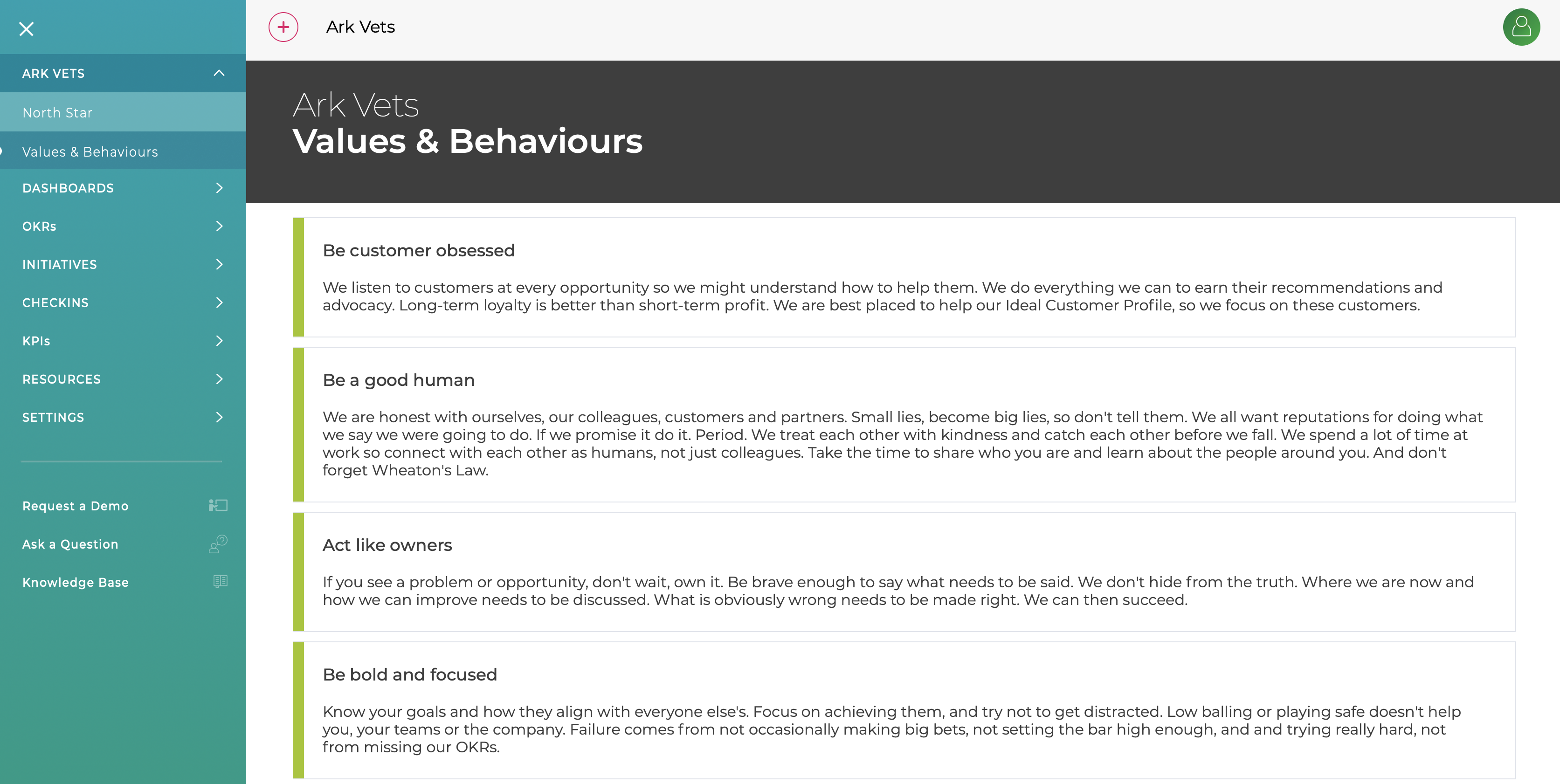
Key Result Owner
The Key Result can now have an owner and this is shown in the OKR details page. If you do not want to use Key Result owners, they can be switched off in the Organisation settings.
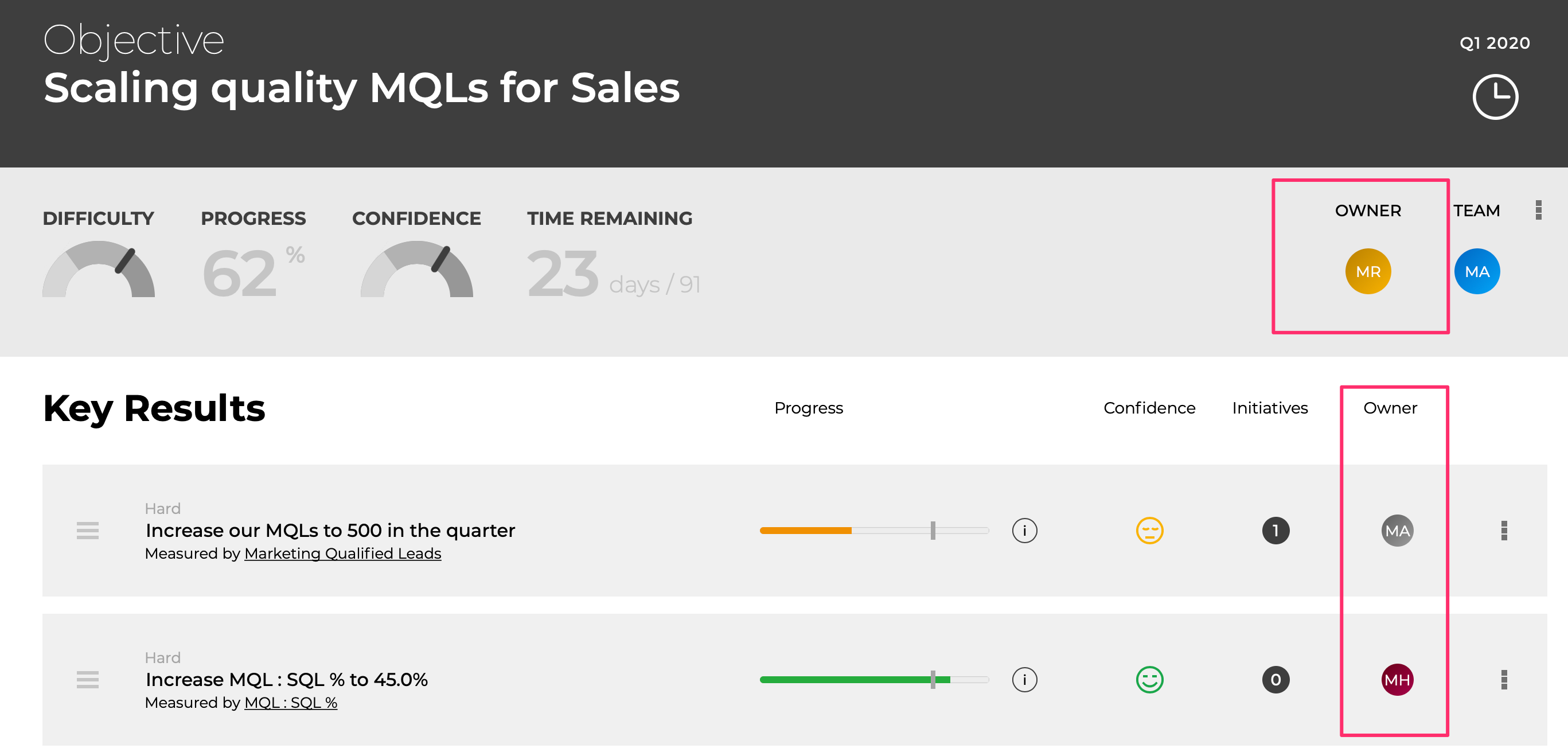
Key Result Status
You can now set the status of a Key Result to one of the following and it will be displayed in the OKR details page, checkins meetings and the OKR lists.
- Active (default value)
- Not Started
- Slow
- Stuck
- Abandoned
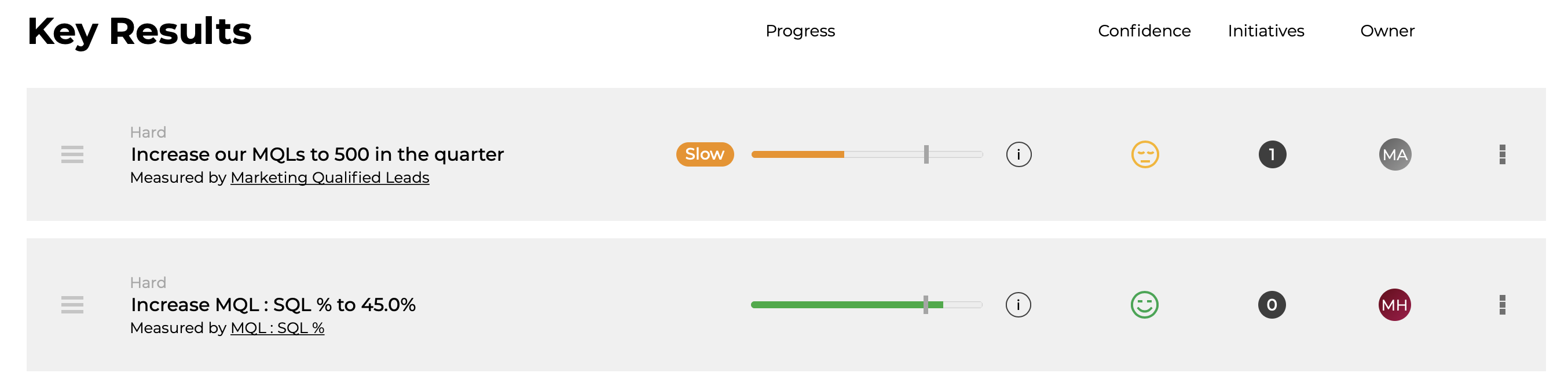
Keep Above / Below Key Results
You can now create Key Results which require a value to be kept above or below a target value. To set one up, create a Simple Key Result and select Keep Above / Keep Below from the Trying To menu.
The progress will be 100% when the value is correctly above / below and 0% when not.
The next release will add the option to Keep Between 2 values.
Collaborators
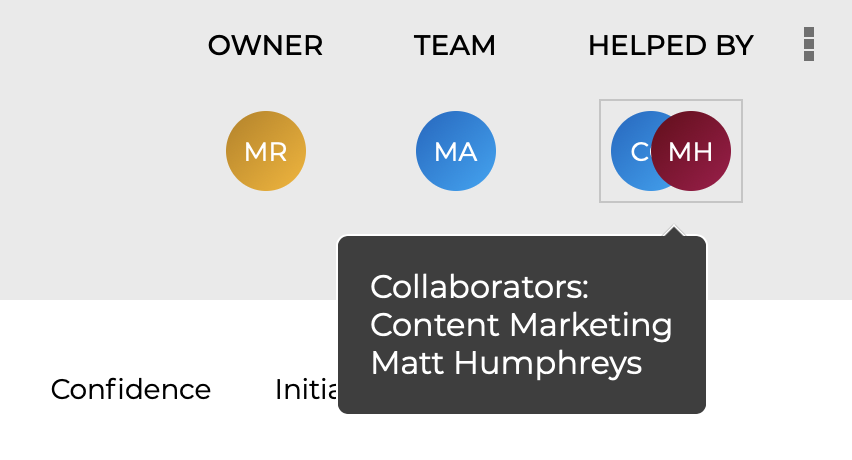
You can now have any number of teams and / or individuals as collaborators on OKRs and Initiatives
Multiple Managers
If you need to assign multiple managers (eg functional & line managers) this can now be done in the User page. We are working on a new UI for this area to make it easy to manage the assignment / changes of managers
North Star
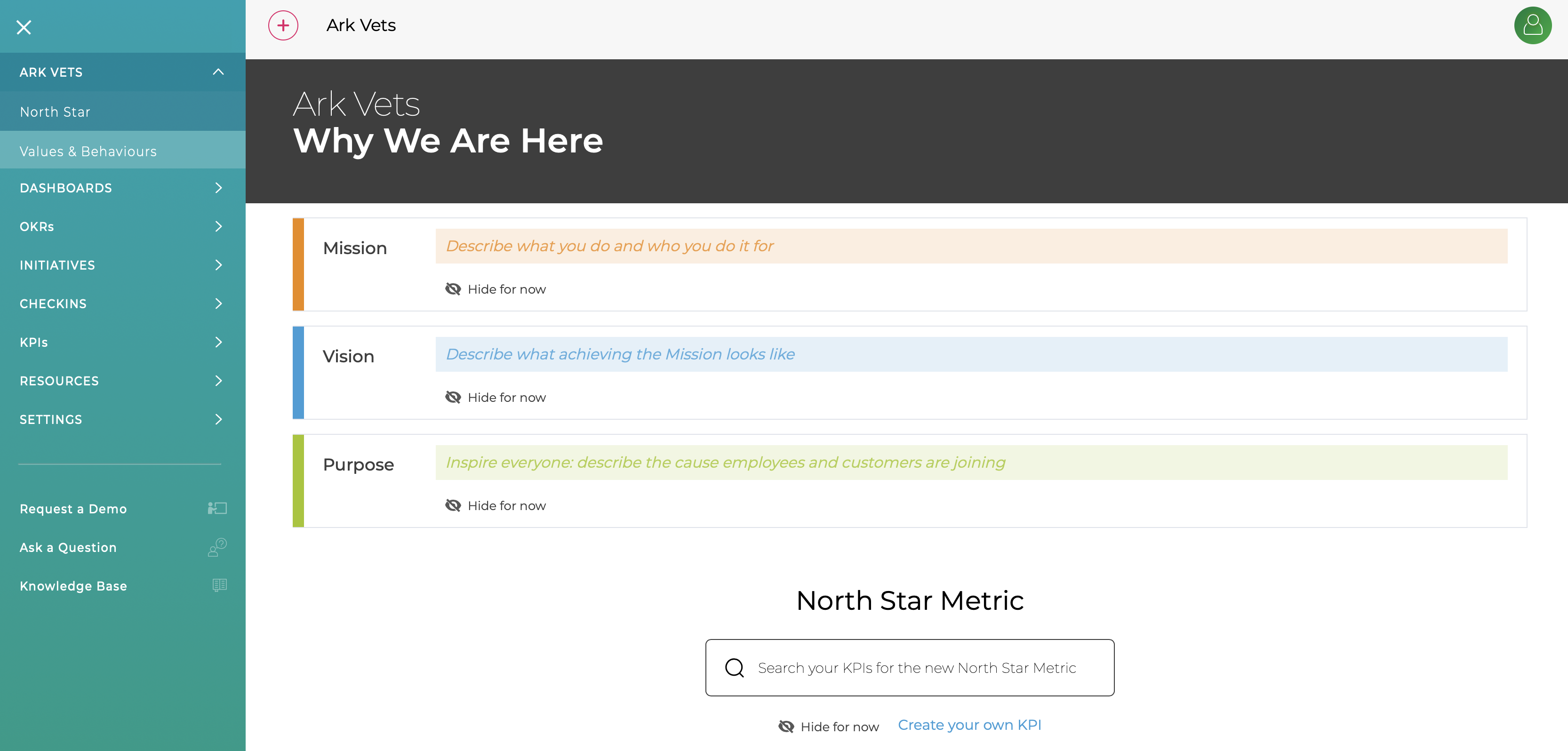
The North Star has been improved and now includes sections for Vision and Purpose
Culture - Values & Behaviour
A new section has been added to show your company's Values & Behaviour. We have pre-filled it with some Values we hold dear but it is easy to edit then, add new ones and change the order.