There are 3 manager pages which show information on the Managers reports. Admin & HR roles see the content for all users.
Reports
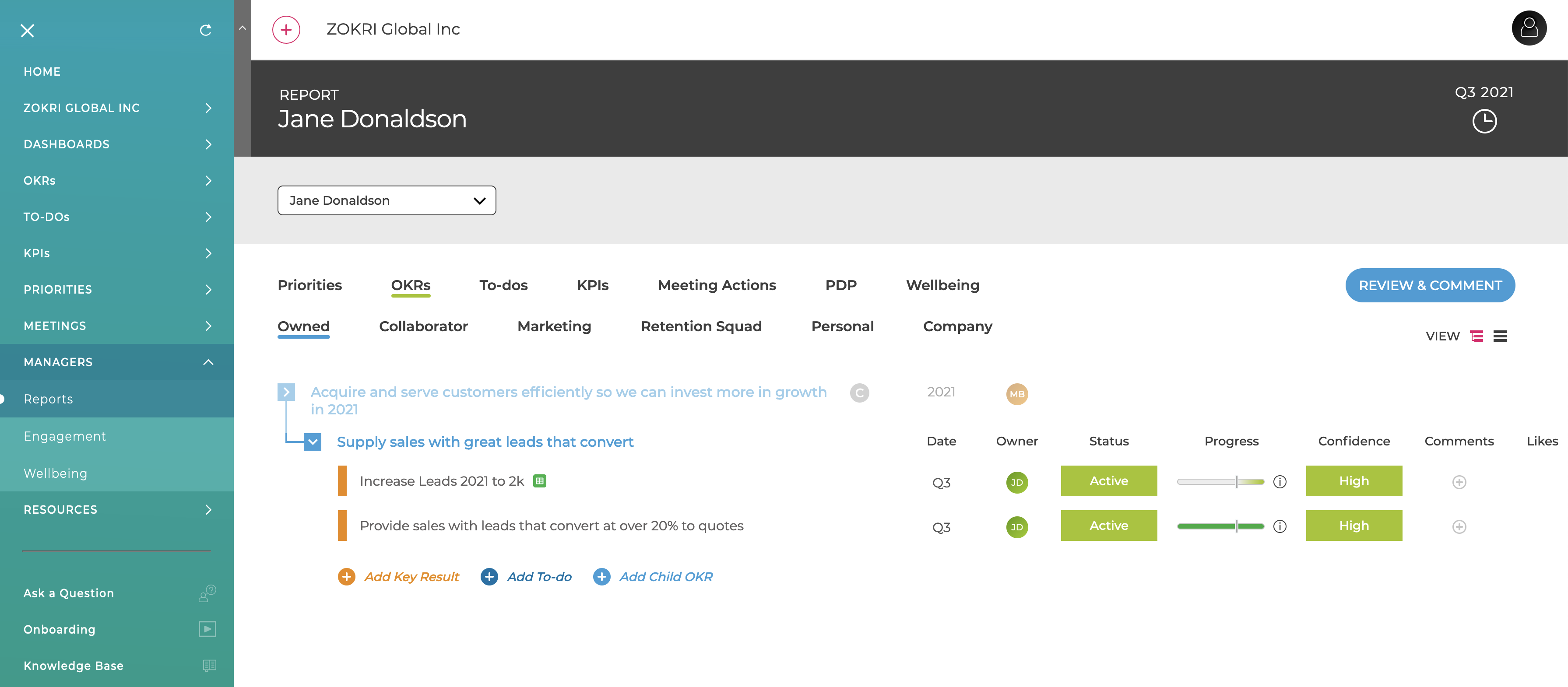
This shows the Home page for each report with a dropdown to switch between them.
Engagement
Shows a summary of all reports engagement with the platform based on the Key Results and To-dos they own - clicking on a report take you to the Reports page for that user.
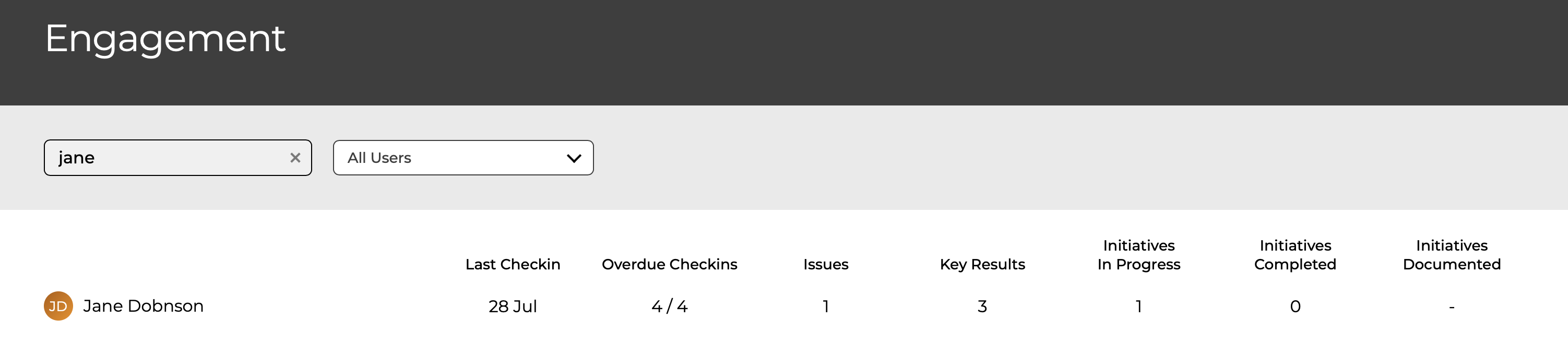
- Last Checkin
When the user last checked in any Key Result or To-do - Overdue Checkins
The number of Key Result or To-do which are outstanding. The count includes
- Key Results in the current period
- To-dos with status Active, Stuck & Slow
- Issues
The count of Key Result or To-do which have one of the following problems
- Status is Stuck
- Status is Slow
- Status is Active and Confidence is Low
More details in What is the Issues count shown in the Managers Engagement page?
- Key Results
Count of owned Key Results in the current quarter (will include any annual OKRs) - To-dos In Progress
Count of To-dos with status Active, Stuck & Slow - To-dos Completed
Count of To-dos which have been Completed in the current quarter
Wellbeing
Shows a summary the wellbeing over the last 12 weeks for all reports - clicking on a report take you to the Reports page for that user.
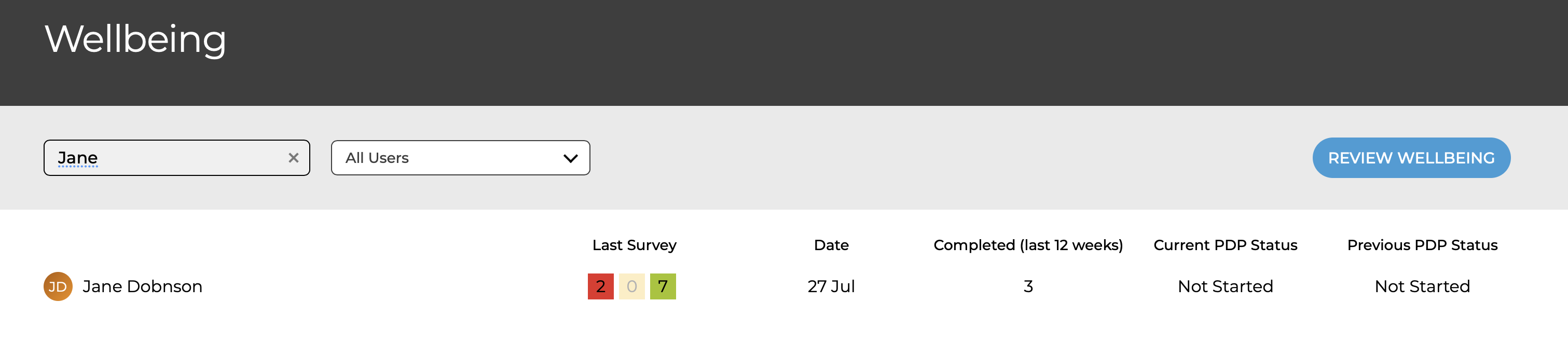
- Last Survey
Summary of the values entered for the last survey- Red - Lowest & Low values
- Amber - Medium value
- Green - High and Highest values
- Date
Date the last survey was completed - Completed
The number of surveys completed in the last 12 weeks