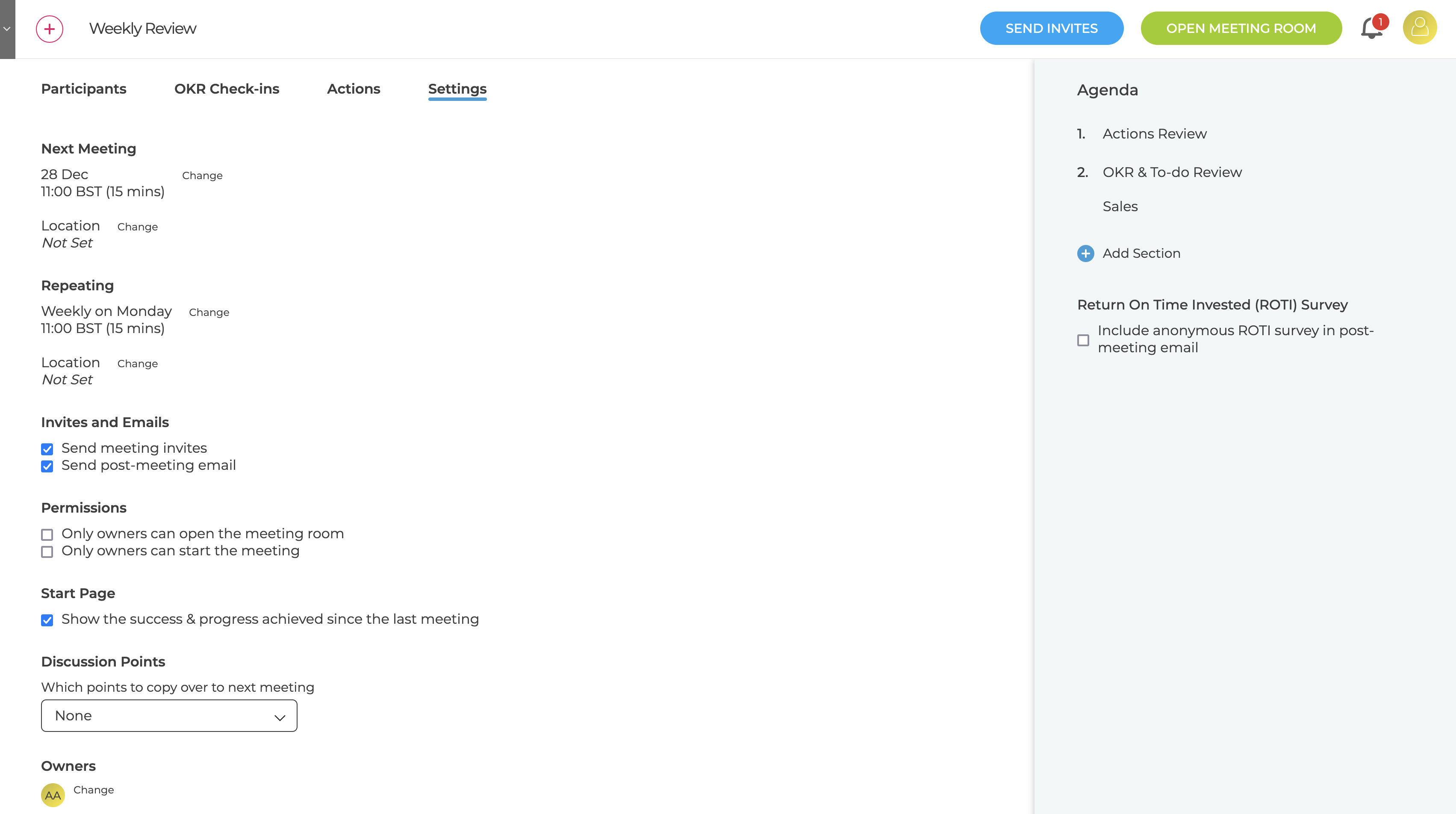
There are various meeting settings that can be used to manage the meetings
- Next Meeting
- The day, time and location of the next meeting can be changed without affect the repeating schedule
- Repeating
- Change the day, time and location of the repeating meeting
- Any updates will also change the next meeting
- Owners
- Change the owners of the meeting
- Send meeting invites
- Enables the sending of invites but they are not sent automatically but only when "Send Invites" is clicked
- Send post-meeting email
- When enabled then after every meeting an email is sent to all participants (including those who did not attend) containing the actions and notes
- If the ROTI survey was switched on the email will include the survey link for the participant who did attend the meeting
- Permissions
- Limit opening the meeting room and / or starting the meeting to the meeting Owner
- Start Page
- Show / hide the Success & Progress section on the first screen
- Discussion Points
- Control which discussion points get carried over to the next meeting