Some big changes in this release to help you create and manage your OKRs
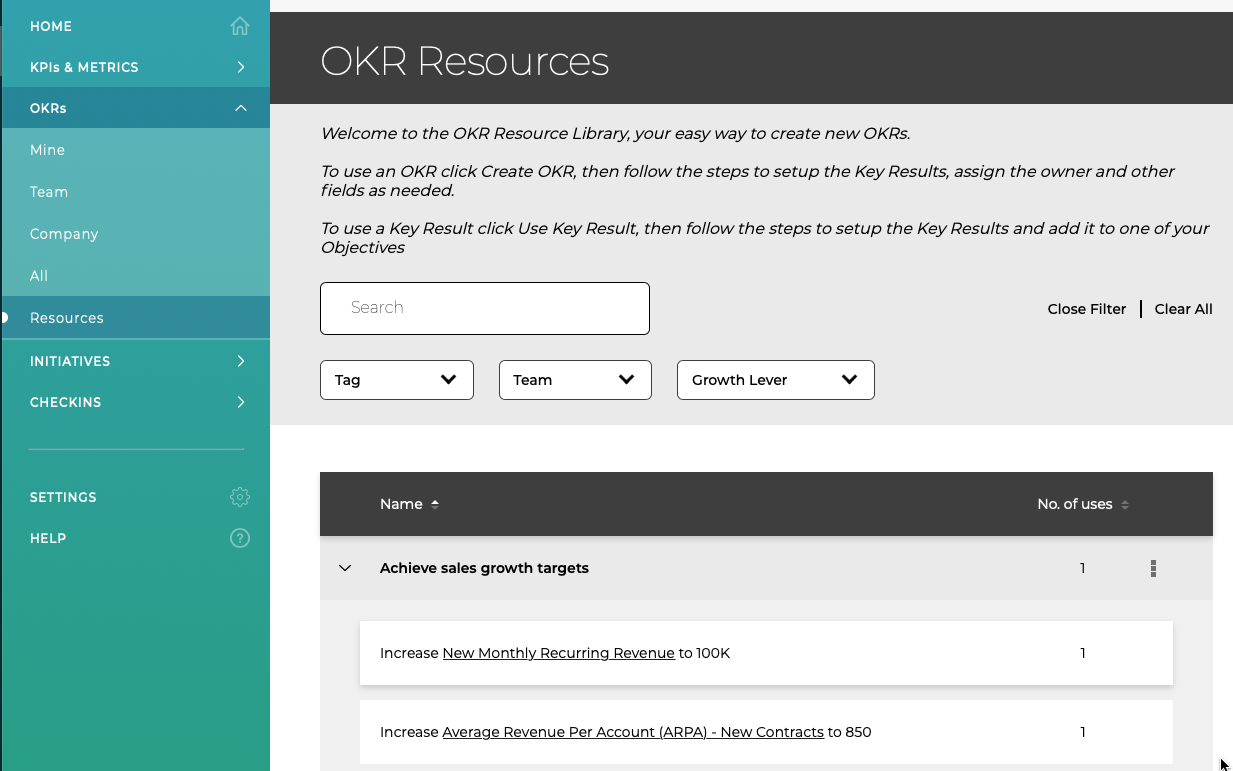
OKR Resources
There are now over 25 example OKRs to help you start using ZOKRI and OKRs (we will be adding more over the coming weeks), and these go along with the Initiative Resources and Metric Resource Library. Each Objective has between 1 and 6 Key Results with suggested Metric & target value. It is easy to create new OKRs using the resources, just click Create OKR and the builder will be pre-filled with all the example data and you can change the values and/or delete anything you do not need.
When you create an OKR from Resources, ZOKRI will automatically create the Metrics you need to track your Key Results.
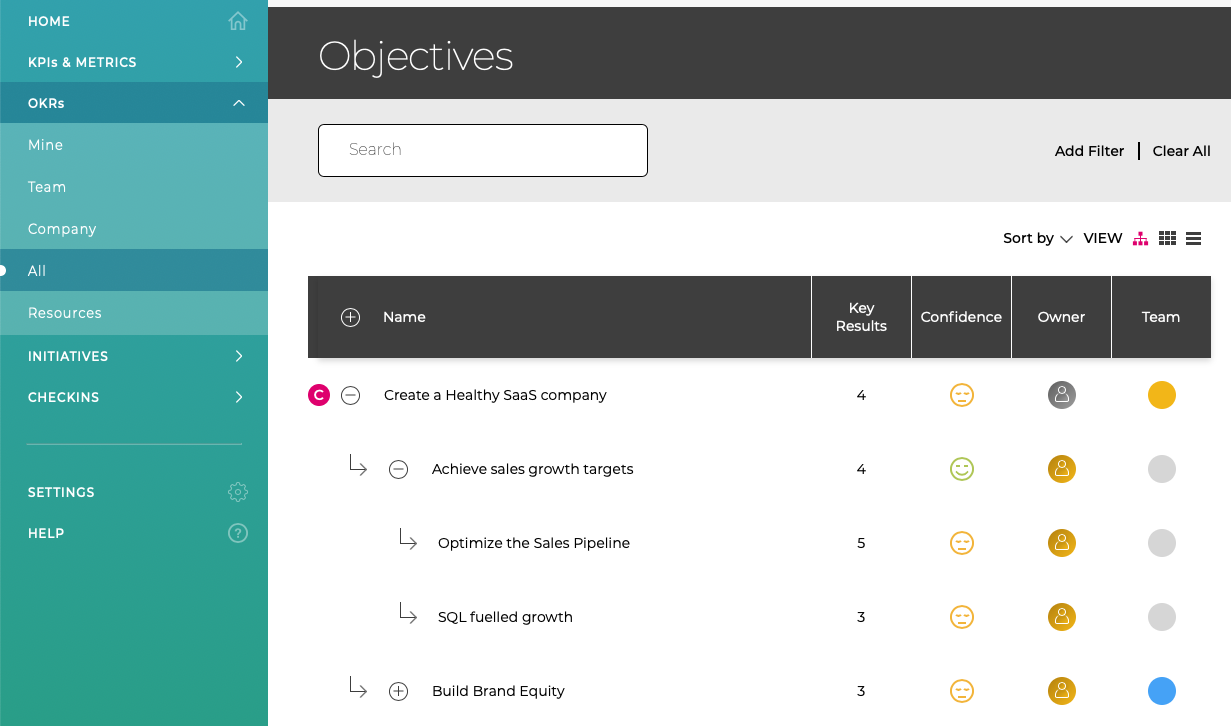
OKR Hierarchy View
We have added a hierarchy view to the OKR section, so you can see the how your OKRs are organised from Company Objectives at the top down through teams and to individuals.
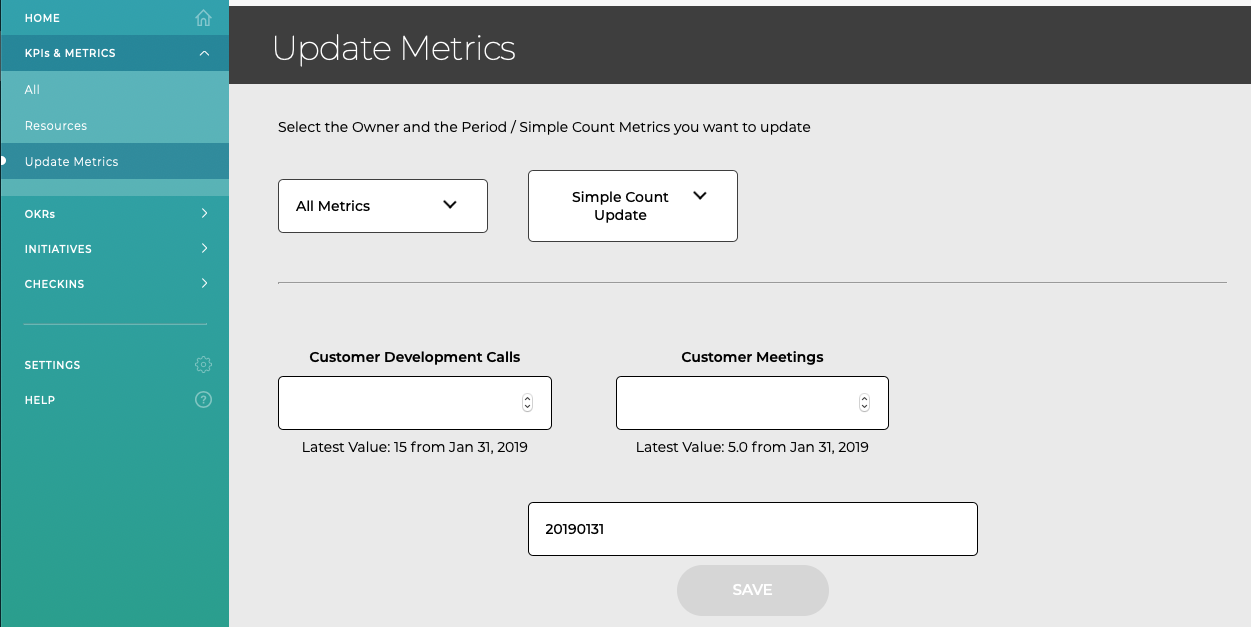
Bulk Uploading Metrics Values
The Bulk Upload section has been updated you allow you to load the latest values for all Simple Count Metrics and the previous value / date is now displayed to help you correctly add the new values.
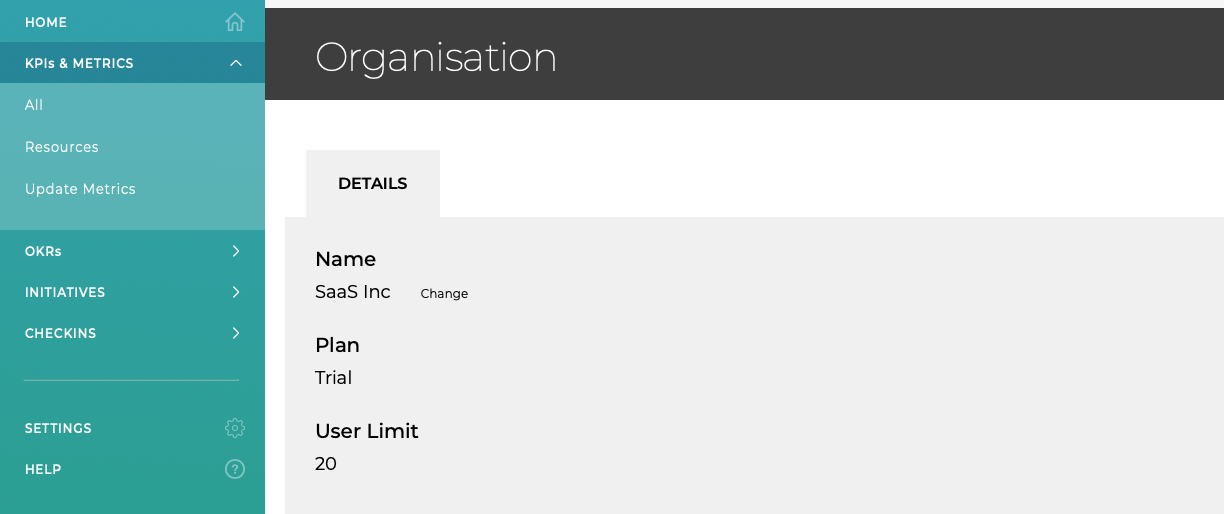
Organisation Details & Plan Limits
A new Organisation page has been added (found in top right profile menu) which allows you to change the name of the Organisation and shows you the current user limits on your plan.