Simple From / To is the simplest way to create a Key Result where you can set the starting and target values, and easily update the latest value to record your progress.
Creating Simple From / To Key Result
Select the Type "Simple From / To" when adding a Key Result, fill in the Key Result Name and select the unit you are measuring (Numeric / Currency / Percentage)
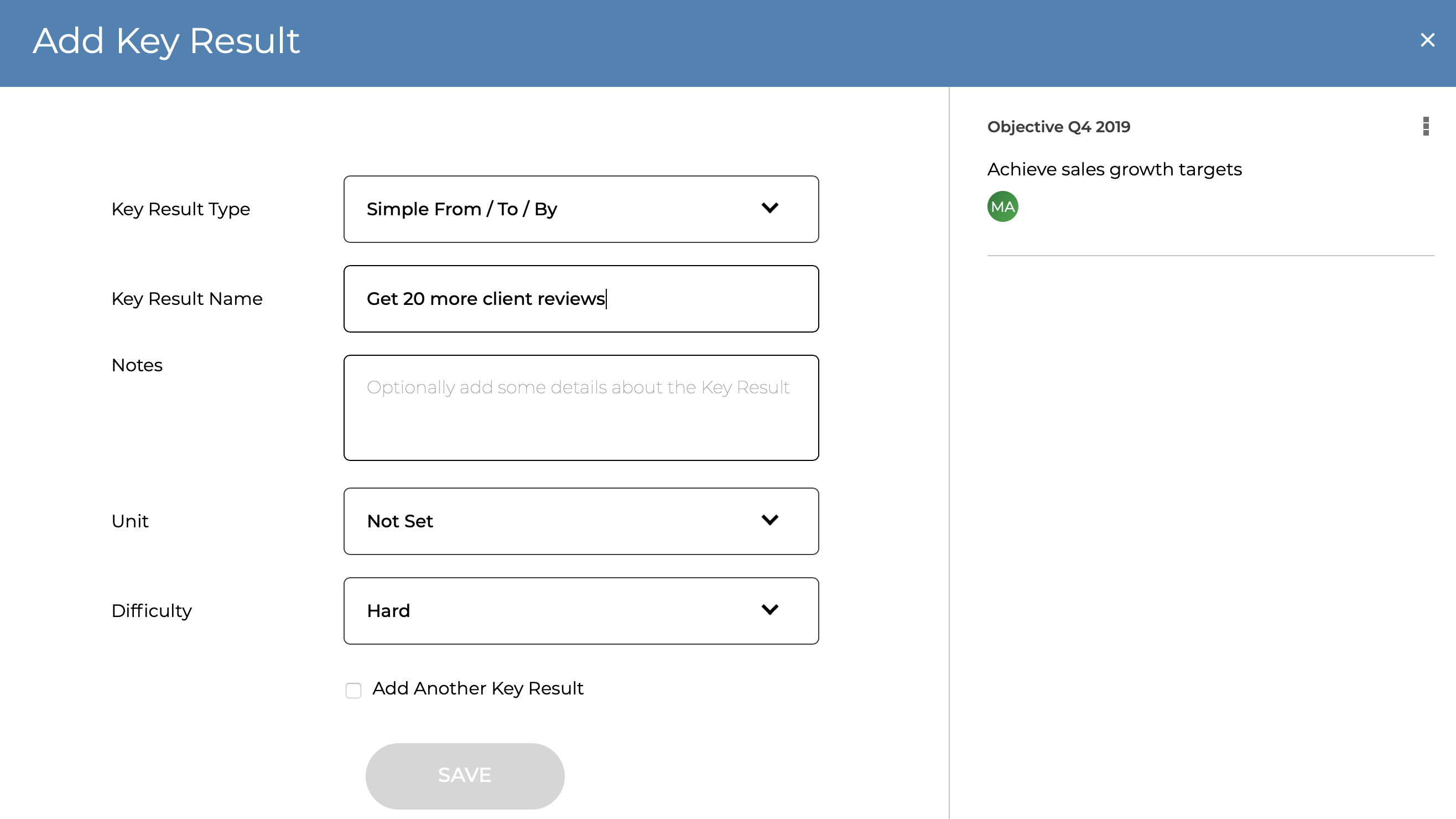
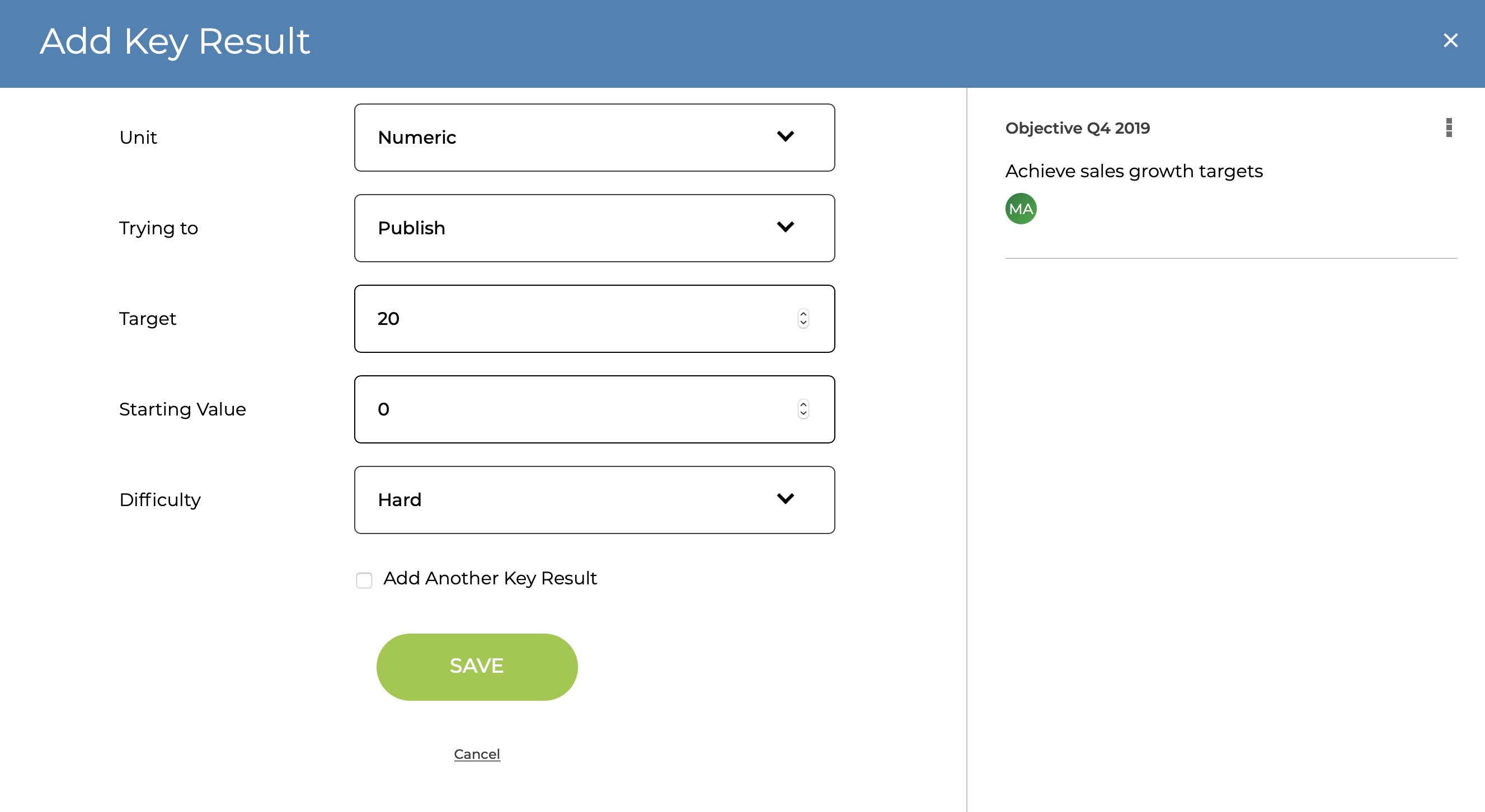
Then fill in what you are trying to do, the target & start values
Change the difficultly if needed and save
Updating Simple From / To Key Result
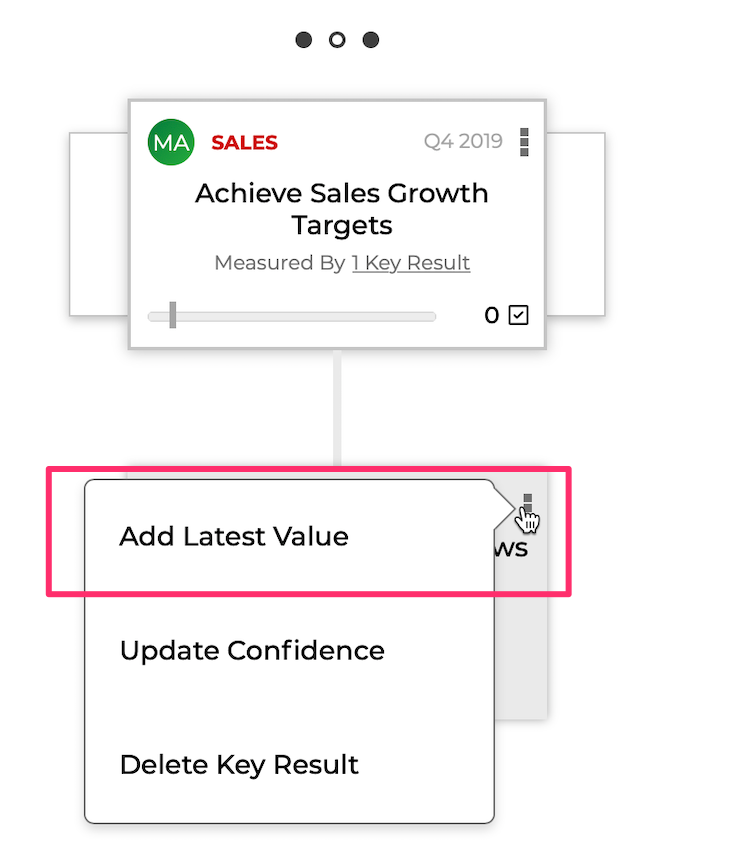
You can add the latest value from the menu in the OKR details page or the OKR Hierarchy View

Changing the Key Result
If you need to change the Key Result target, that can also be done from the menu in the OKR details page