In several places you will see a progress bar like this
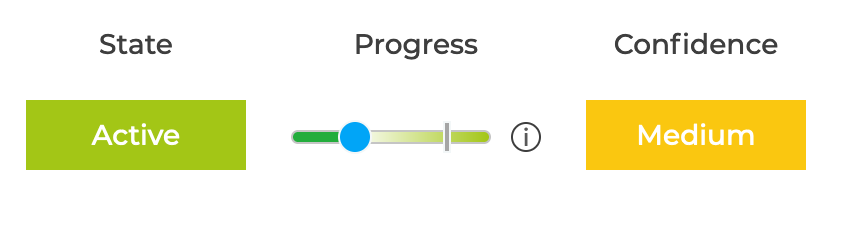
The vertical bar indicates how far you are through the quarter or year.
The colour of the progress bar changes if the progress is significantly behind the expected value based on the time bar and success level.
- Green: Progress is on track
- Orange: Progress is more than 25% behind the expected position
- Red: Progress is more than 50% behind the expected position
The blue circle can be moved on some progress bars to allow you to easily update the progress
The 25% / 50% thresholds can be changed - see How to change the Red / Amber thresholds used for Progress?
For details on how progress is calculated - see Key Result Progress or Objective Progress