ZOKRI supports OKRs, To-dos and KPIs that are kept private so only members of the assigned team can see them.
If you looking for OKRs that are kept private to just an individual, then have a look at personal objectives.
Private Teams
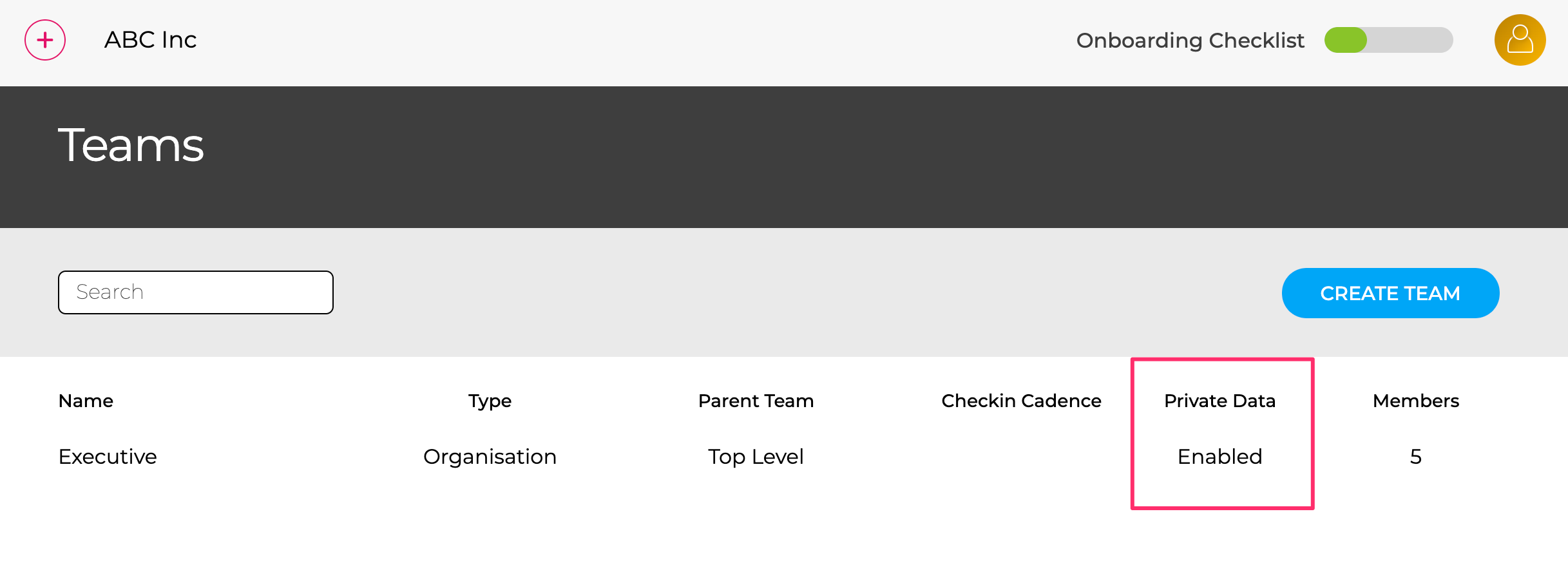
The access / visibility of private data is managed using teams, so any team in your organisation requiring access needs to have Private Data enabled in the Teams page.
Creating Private Items
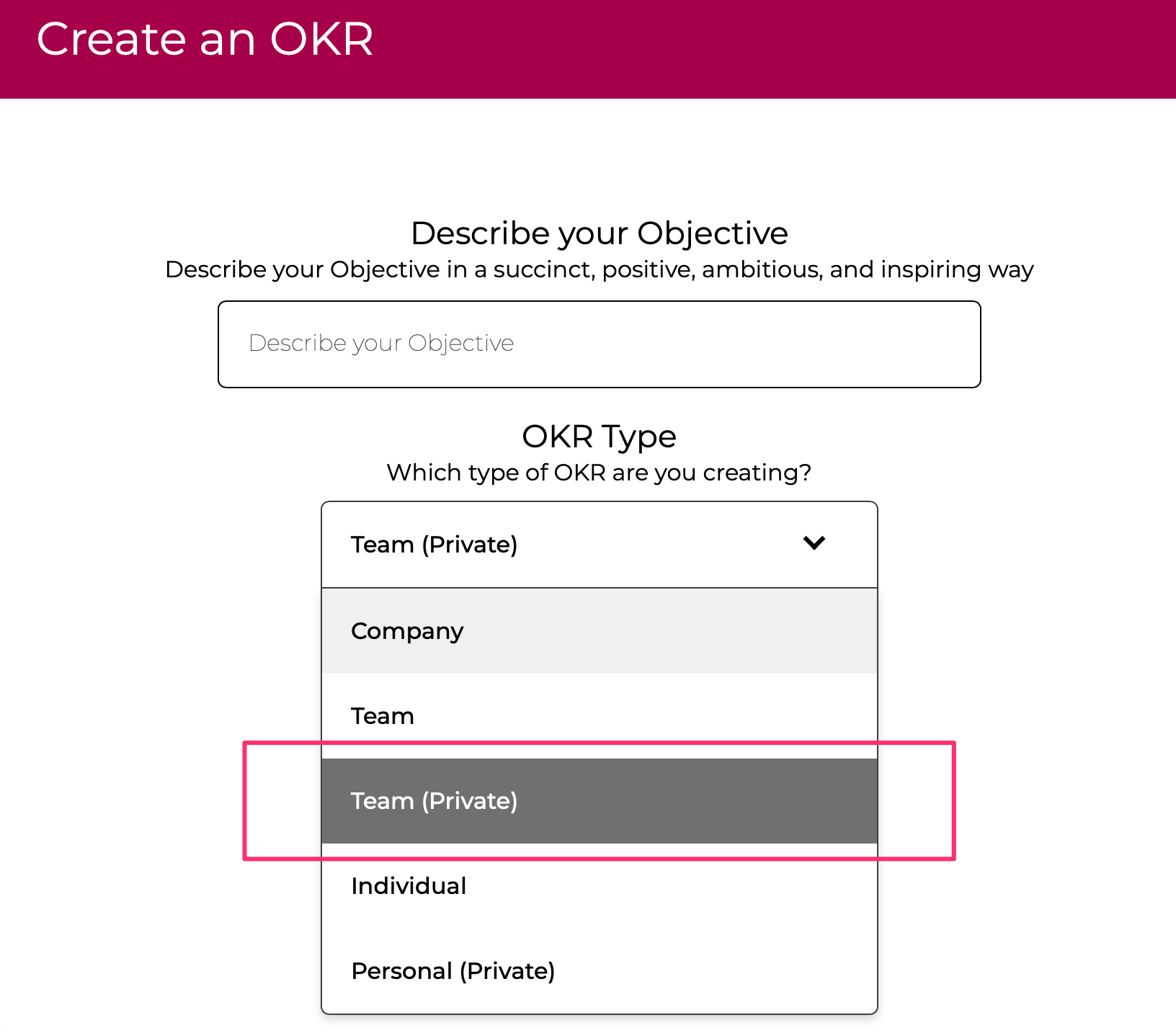
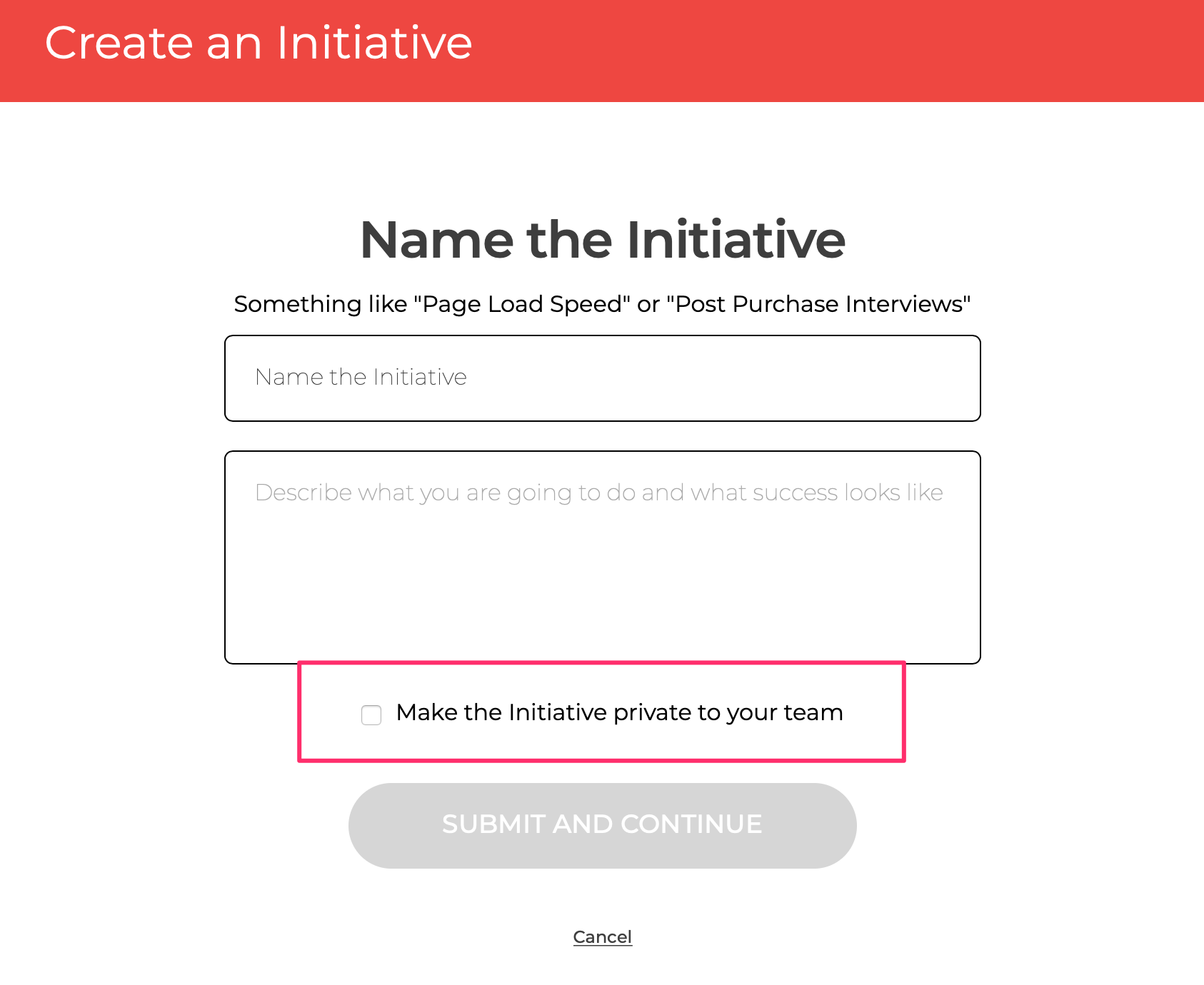
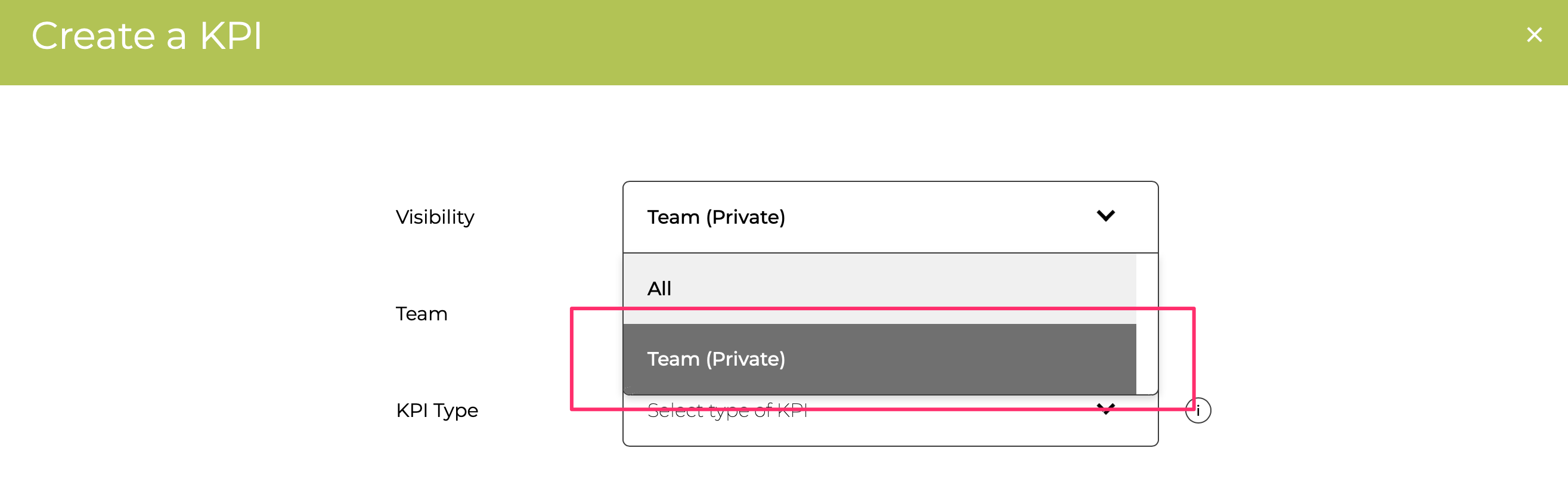
Once the team has Private Data enabled, any member of that team can create OKRs, To-dos or KPIs that are kept private to the team.
Private OKR
Private To-do
Private KPIs
Once created the Private items are always highlighted with a Padlock icon

Linking / Using Private Items
The usual linking / usage between OKRs and KPIs / To-dos can be done, but Private OKRs can only use Private KPIs / To-do and have Private Child OKR from the same team. A Private OKR can have a public parent but it is not visible to anyone outside the Team
FAQ
Who can see a private item?
Only members of the team can see the item, and if a user is removed from the team they can no longer see the items
Can I change item between Private and Public?
No - the Private / Public visibility of an item cannot be changed after creating it. The reason is the linking of Objectives, Key Results, KPIs and To-dos could inadvertently expose a private item if visibility was changed to public.
What if I am in 2 or more teams?
When creating an item you will be asked to confirm which team the item is for and only members of that team will be able to see it.
How do I get access to use Private Teams?
You need to have a paying account and then you can enabled it in the Teams page.