When there are check-ins due today, tomorrow or overdue a link will appear in the top navigation

At other times there is a button in the Home page

Both will load the Check-in page
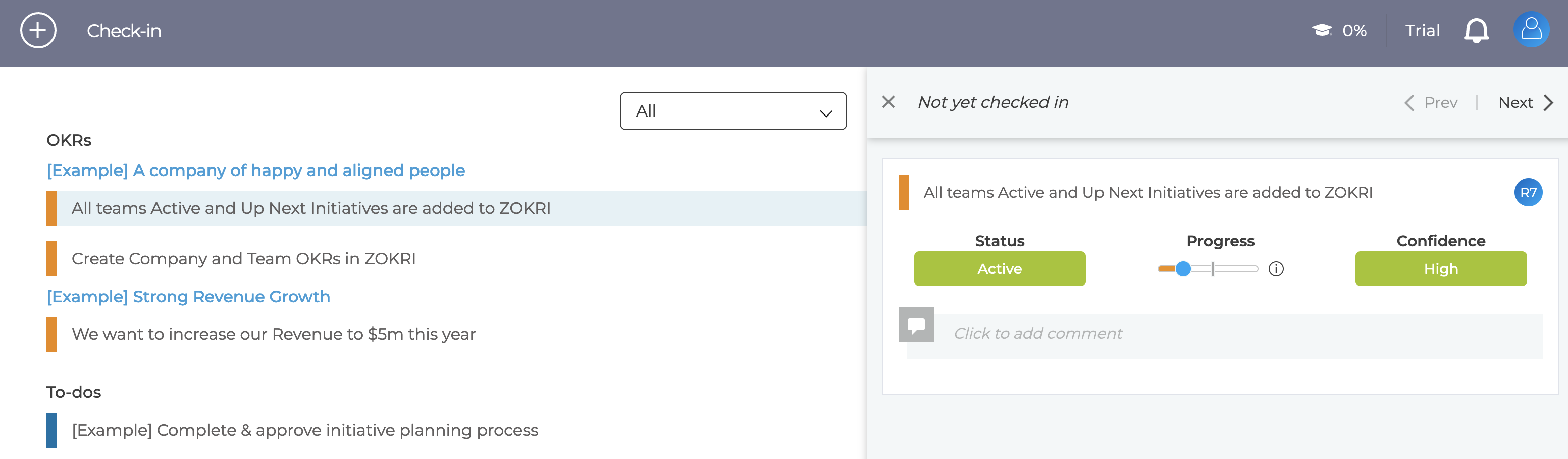
Then any of the following actions are counted as a check in
- Change state
- Change confidence
- Update the progress (for a KPI adding the latest value)
- Add a comment
If you have no changes to checkin, you can indicate this by clicking the No changes this checkin link

Once you have checked in the last checkin date is displayed

NOTE By default check-ins are disabled for KPIs - see How to enable / disable check-ins
Non-owner checkin
If your company allows it, then someone apart from the owner can check in the item. They do this by clicking the Check in for the owner link.
