The first Home page section is Priorities - this is where users and teams can prioritise and manage their work on a weekly schedule.
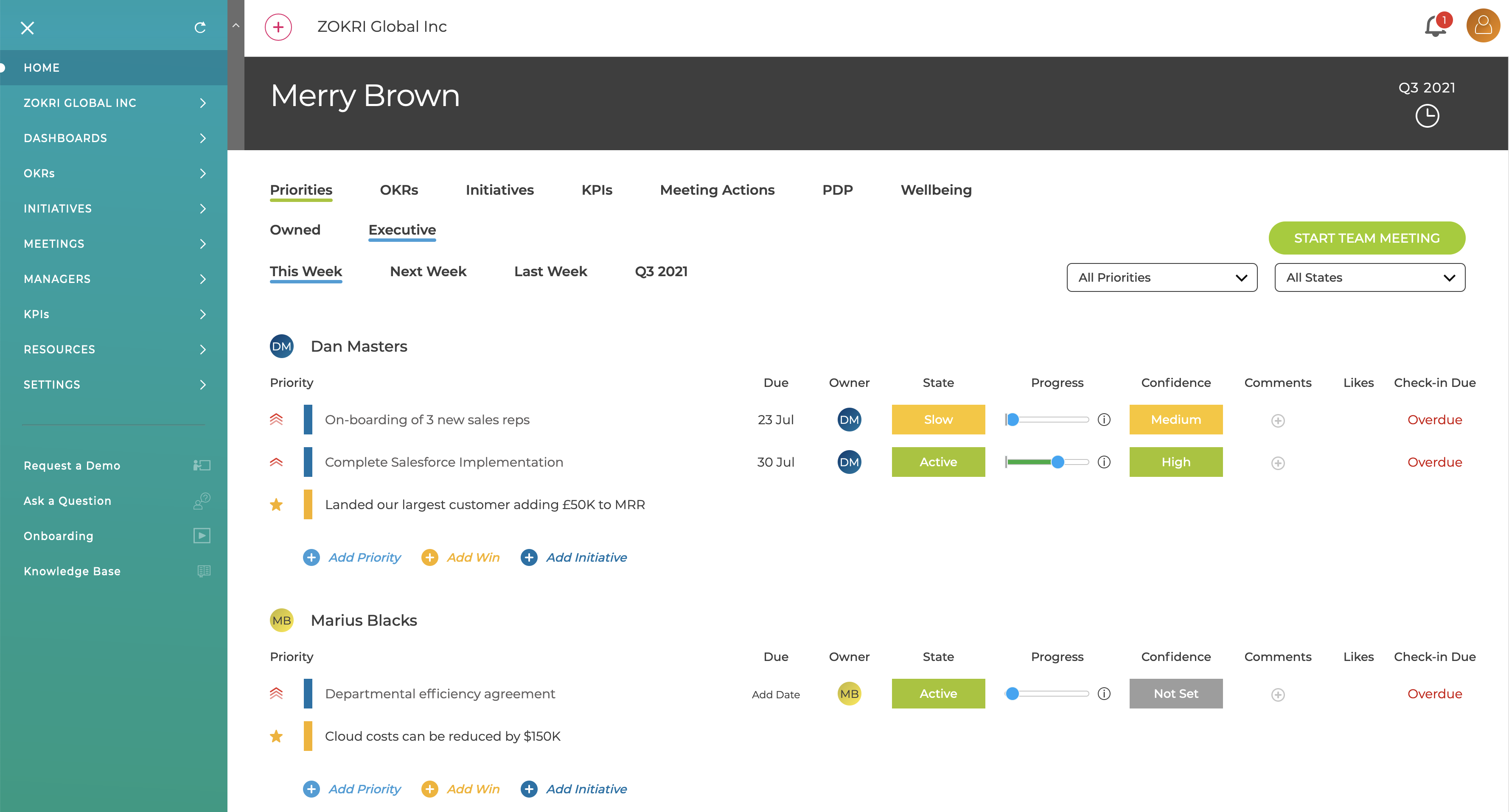
Priorities can be
- To-dos
- Key Results
- Tasks in external system Trello, Asana, JIRA, Monday or Todoist
When the To-do / Key Results / Task is completed the Priority is automatically updated to be completed. They can also be manually (un)completed using the menu.
There are three levels of Priorities to help order the work which can be changed by clicking the icon.
Wins can be added which allow users to tell their team of their success / work done during the week that was not part of a Priority.
Priorities can be viewed by
- User or Team
- Last / This / Next Week or for the whole quarter
In the team view there is a quick link to start a Team Meeting - see What is the Priorities Team Meeting?