Organisation Settings
OKR sign off settings & question are managed in the Organisation page
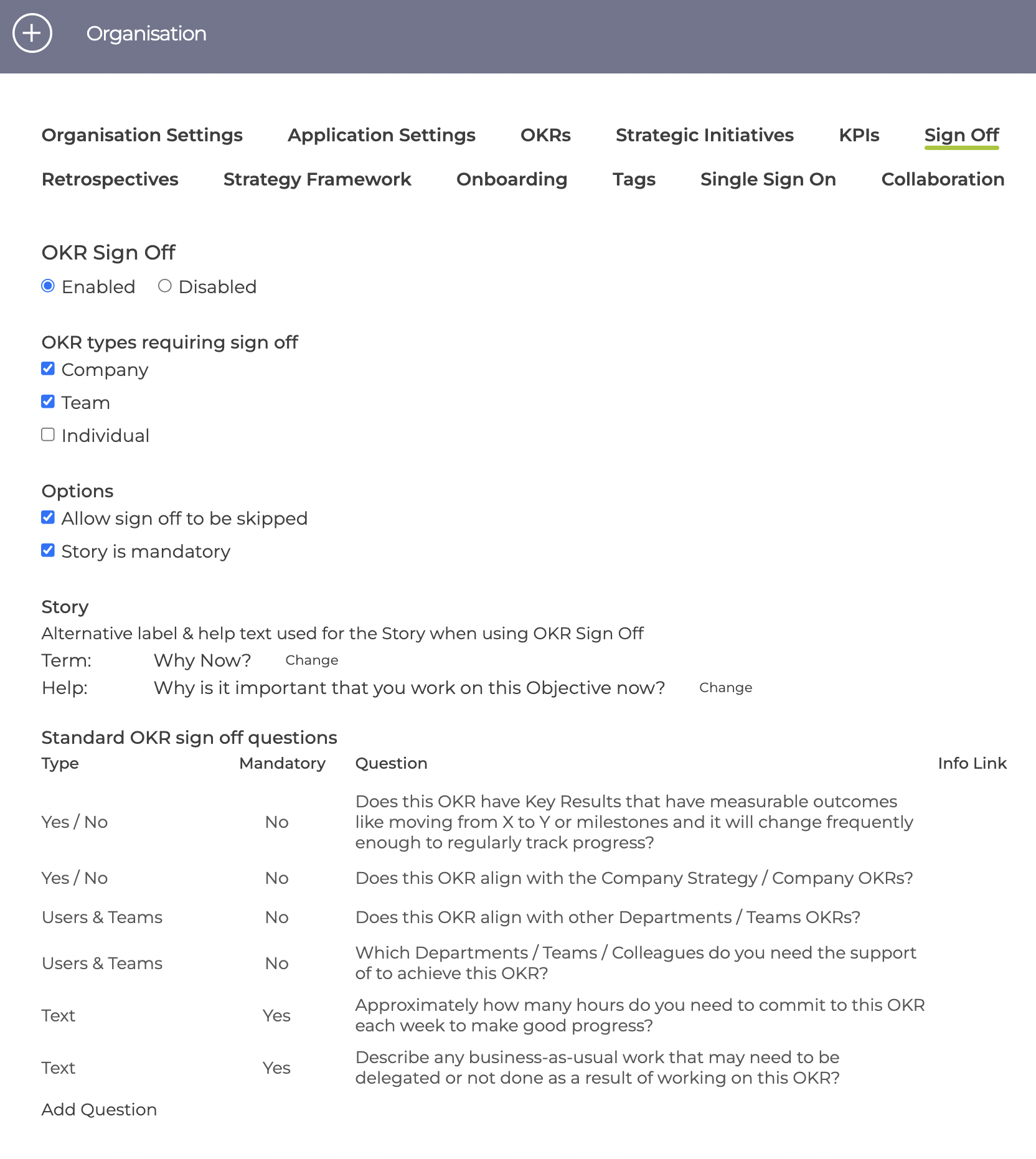
Sign off can be enabled / disabled completely and then switched on / off for different Objective types.
There is also options to
- allow sign off to be skipped by individual OKRs
- make story mandatory or optional
When using the OKR sign-off process an alternative label & help is used for the Story and this can be changed at anytime.
The default questions are shown above but these can be edited, deleted and new questions added at any time.
Questions have the following fields
- Type which are
Yes / No
Text
Dropdown selection
User / Team selection
Parent OKR Required
Documents
Terms - Mandatory or Optional
Mandatory Yes / No questions require the Yes answer - Label for the question
- Info link which is an optional url to an external page which can contain more details on the question
Parent OKR Required - is always mandatory and either needs the parent OKR to be set or an explanation added why it is not needed.
NOTE Any changes to questions will be picked up by new Objectives, but there is an option for current Objectives in Draft state to reset the questions.
Teams Questions
Teams can override the Organisation question and define their own set - this is done in the team detail page. Initially the teams will be set up with a copy of the organisation questions.
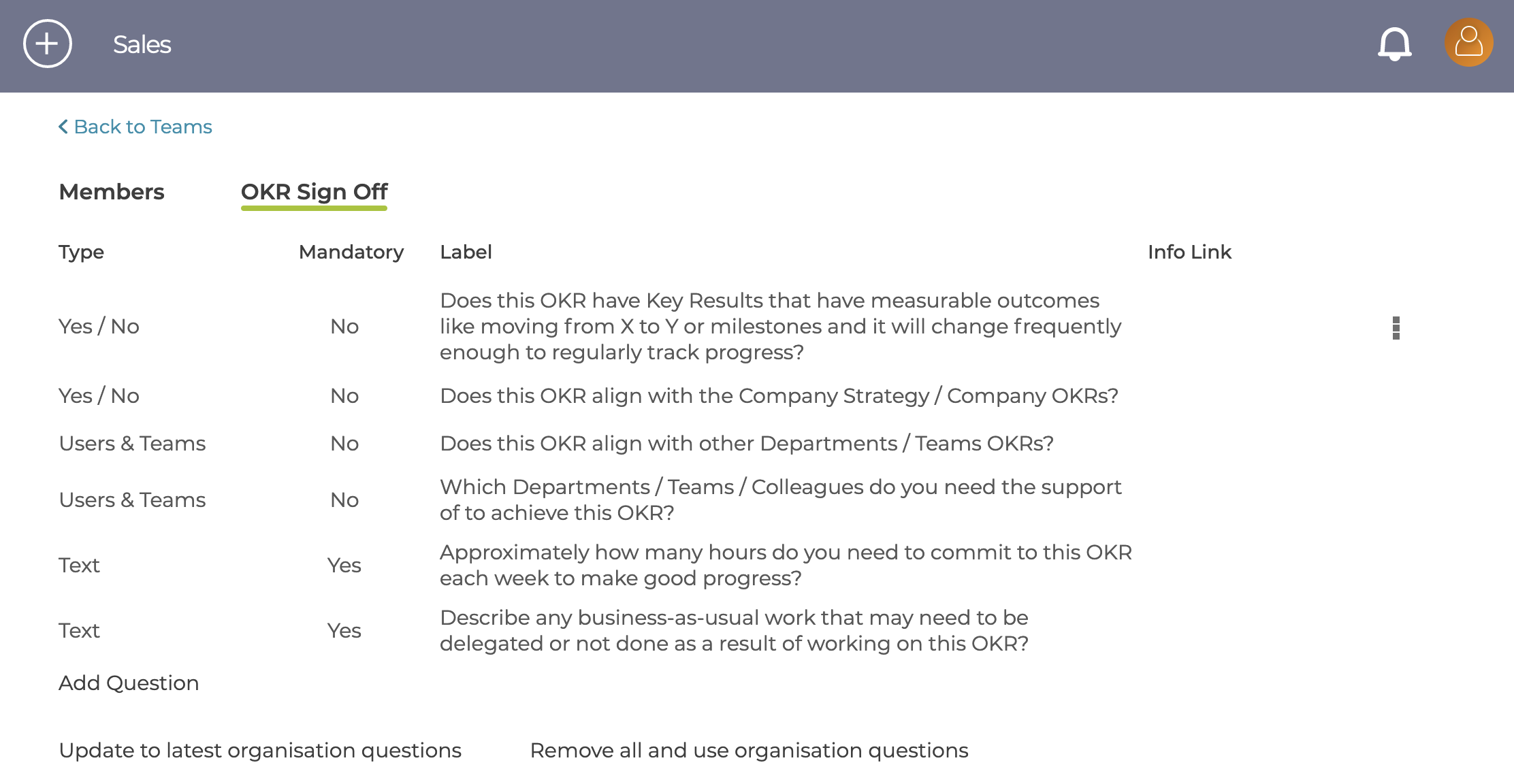
The questions are configured in the same way as the organisation's, but with 2 additional actions available.
- "Update to latest organisation questions" will update the team's questions as long as they have not been deleted or edited
- "Remove all and user organisation questions" remove the team configuration completely.
NOTE Any changes to questions will only be used by new Objectives