Report are configured in the Settings page
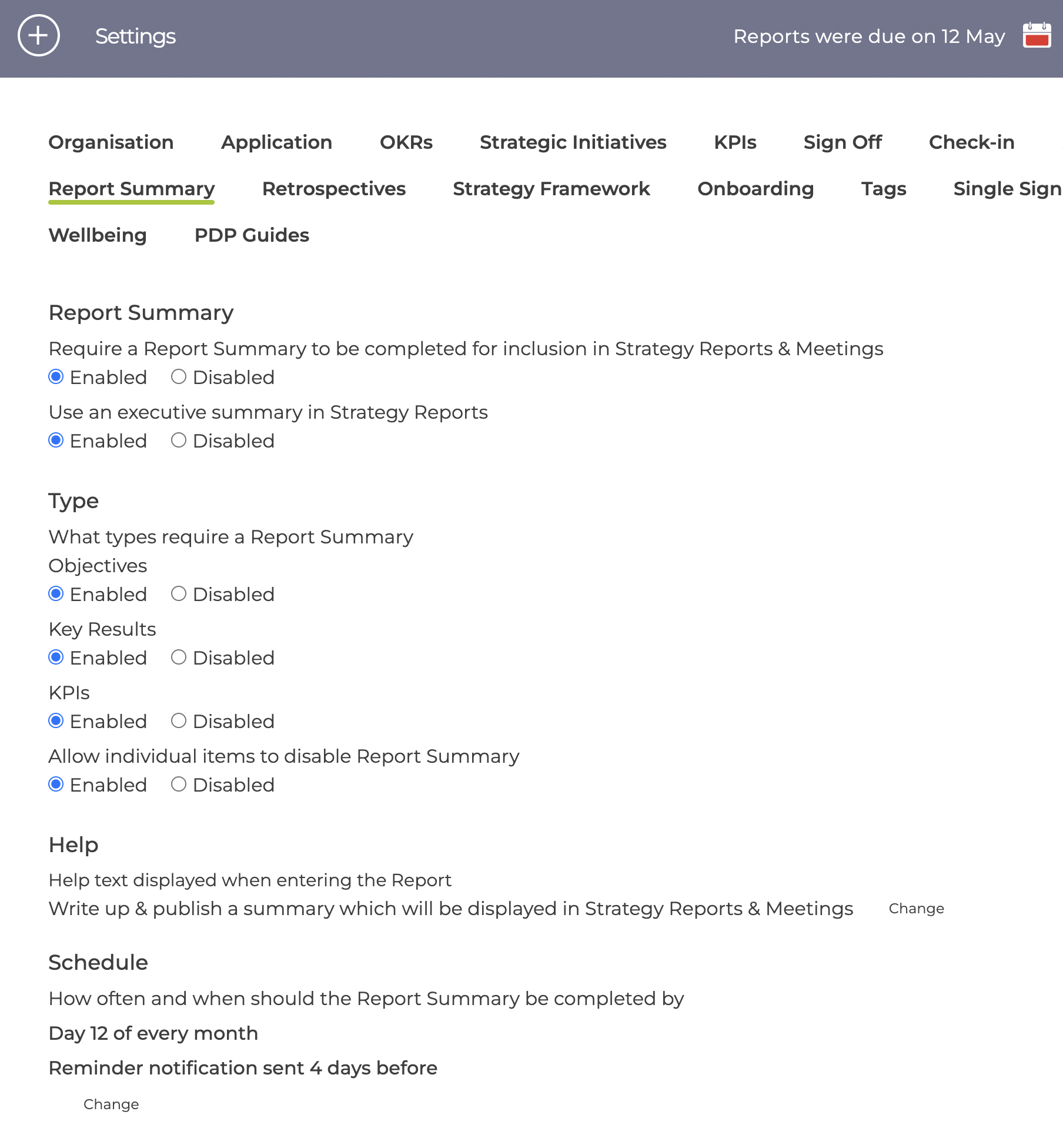
Reports can be switched on / off for the 3 object types as well as completely for the organisation
When using Strategy Reports, there is an option to allow summary reports for each section - see How to use Summary / Executive Reports for Pillars / Perspectives
There is also an option to allow individual items to disable Reports
The Help text displayed when creating the report for the first time can be modified.
The report schedule is either monthly or quarterly and the specific day can be set as either
- day of the month
- up to 7 days before or after the quarter end
The reminder notification can be sent out up to 7 days before the due date