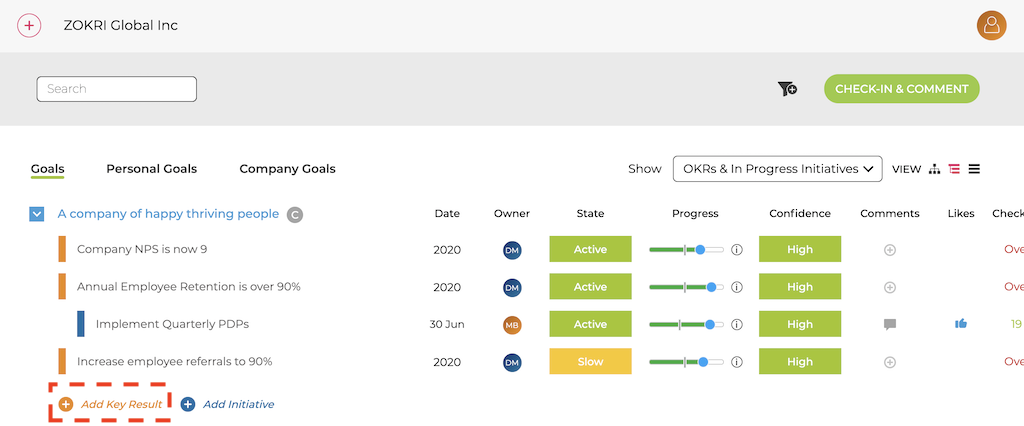
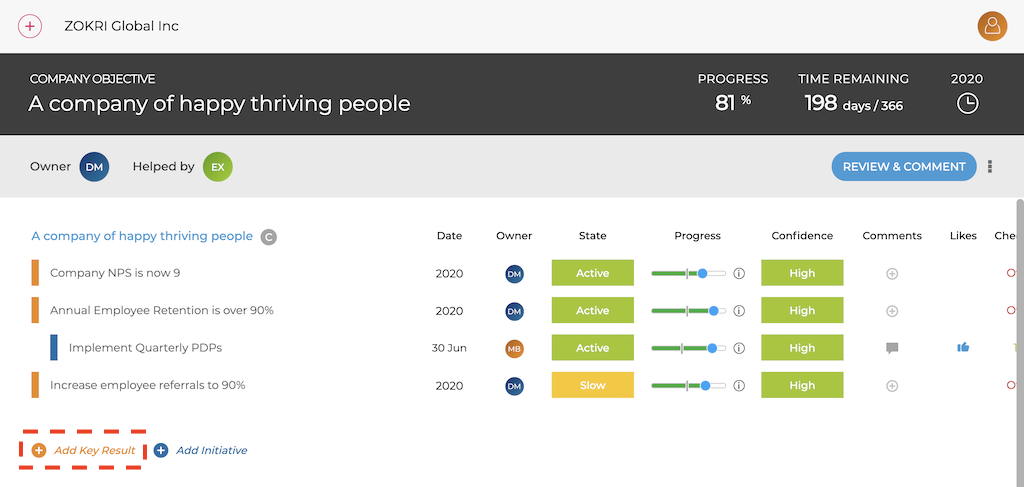
You will create a Key Result from several places, but when Creating your First Objective you can immediately start adding Key Results, or later you can add them from the OKR nested view page and the OKR details page.
Nested View
OKR Details
Simple View
There are 2 views when creating Key Results and by default users see the Simple View.
For details of the Advanced view and the full list of Key Result Types available see Using the Advanced View when creating Key Results
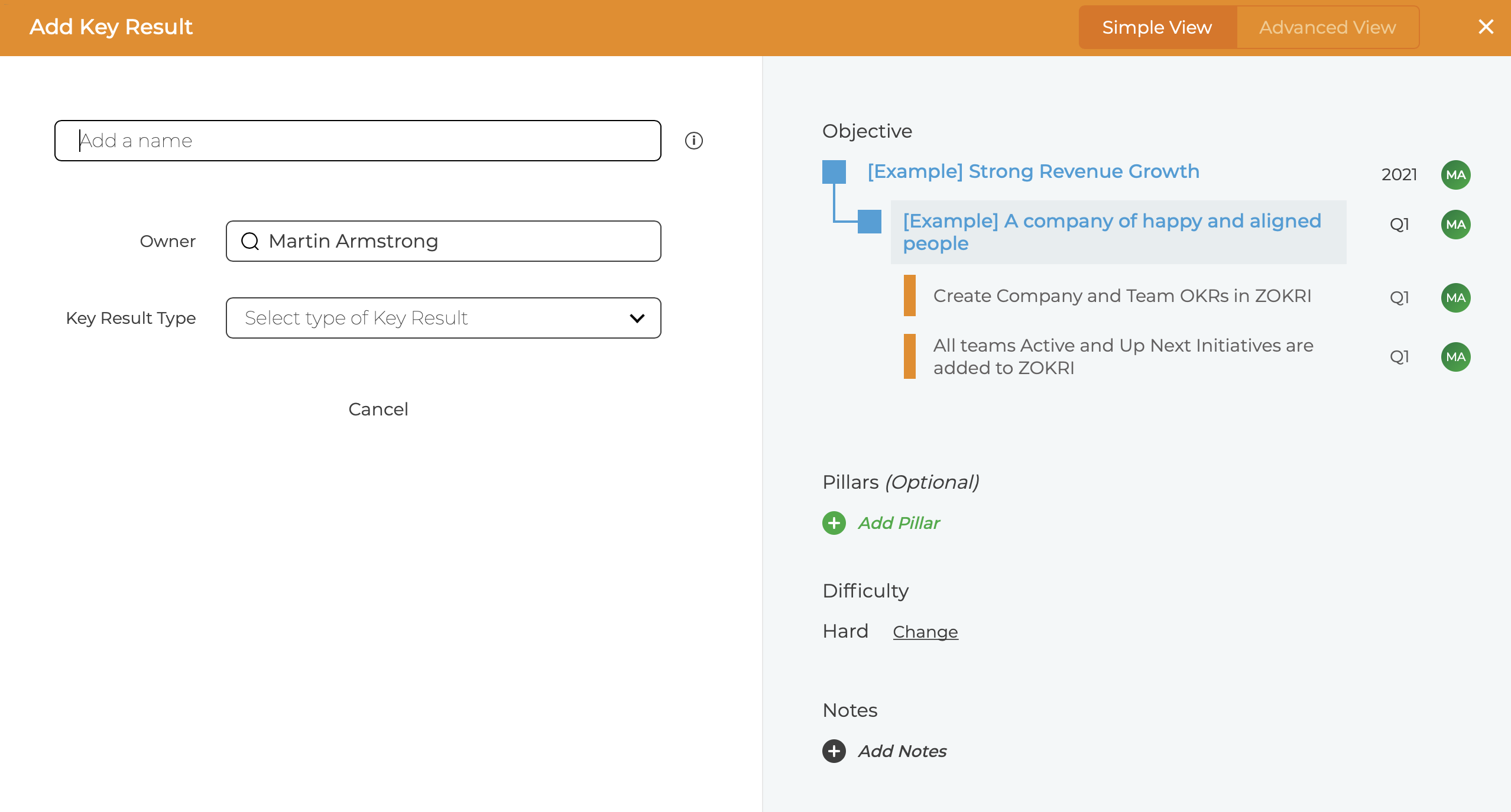
There are 2 types available in the simple view
- Simple From / To
- This is a simple way to write a Key Result and measure progress.
Choose a Unit (Numeric / Currency / Percentage / Duration)
Select the best description of the aim - normally "Increase To"
Enter the Target
Enter the Starting values so the progress can be shown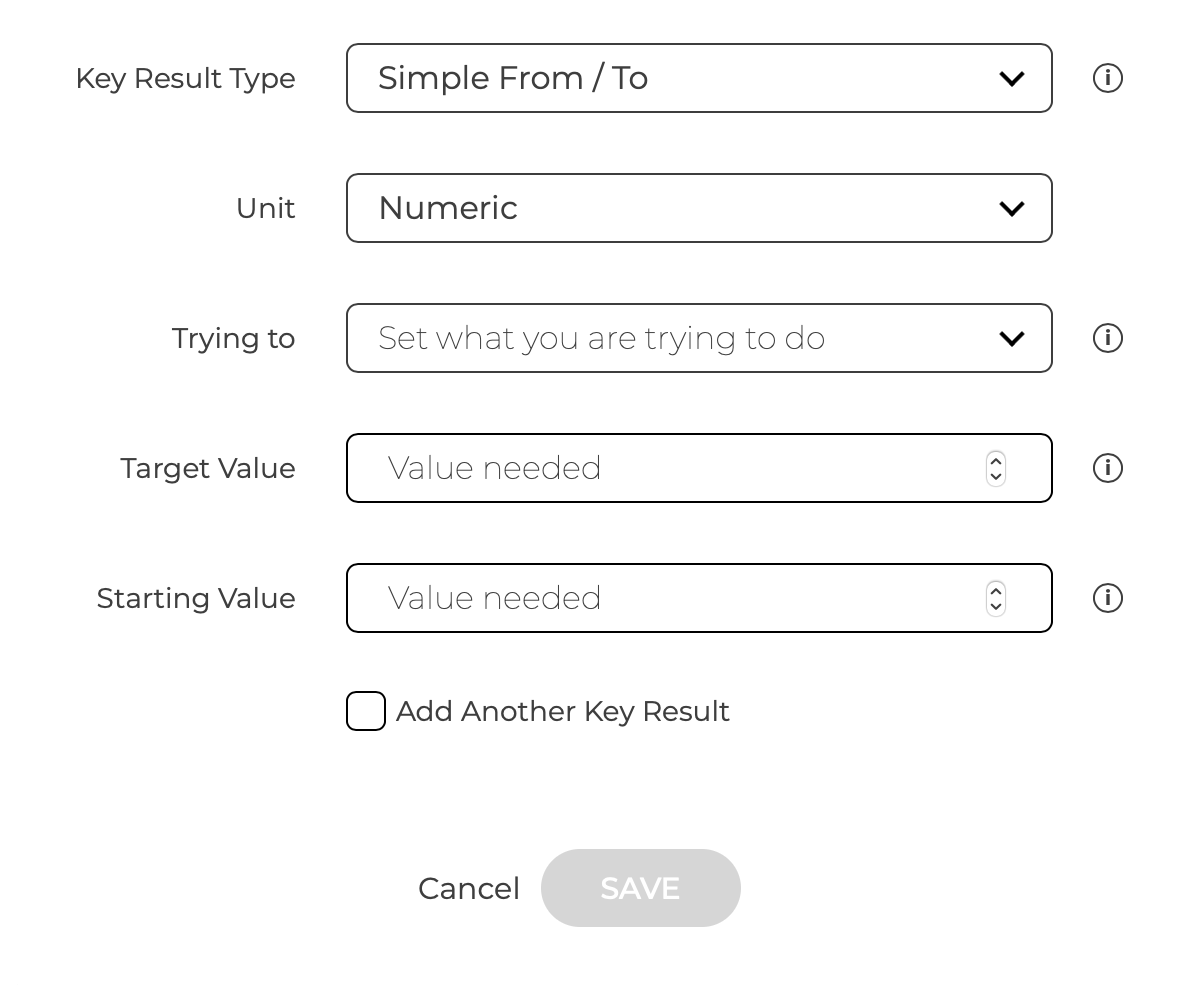
Once create simply add your latest value to update Key Result progress
- This is a simple way to write a Key Result and measure progress.
- Percentage Complete
- This is a 0% to 100% Key Result where you will update the % Progress as you go