The Settings page has lots of options & configuration to customise ZOKRI
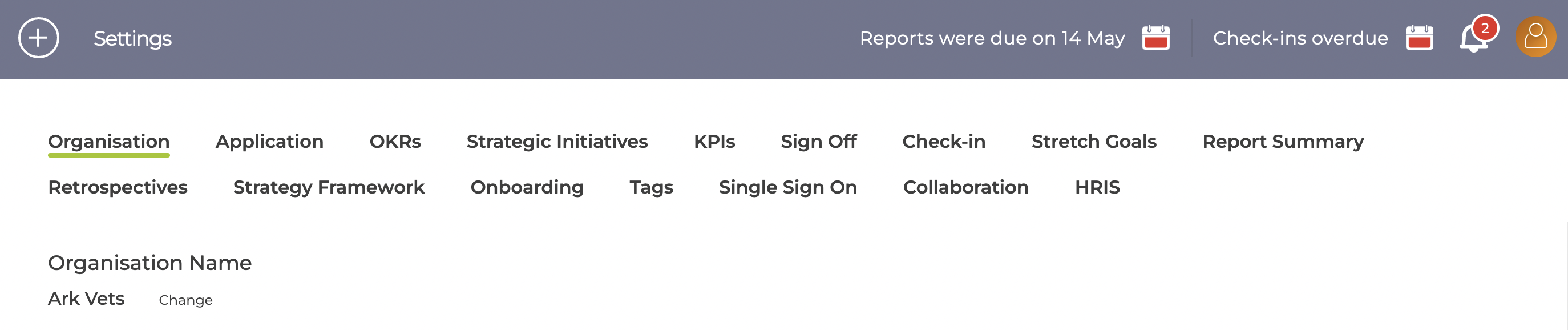
Organisation
Localisation & process settings to match your organisation
Application
Hide various sections / functionality if it not needed - see Can I hide section / types not being used?
OKRs
Enable / disable the various types of Objectives & Key Results - see Can I disable some of the Key Result types?
Strategic Initiatives
Change the term used for the work activities
KPIs
KPI & KPI Targets can be disabled if not needed
Sign Off
Manage the OKR Sign Off process - see How to configure OKR Sign Off
Check-ins
Configure which items are checked in, how often and who can check them in - see How to enable / disable check-ins
Stretch Goals
Configure how stretch goals are used in ZOKRI and the terms used
Report Summary
Manage how reports are used - see How to setup Reports for OKRs & KPIs
Retrospectives
Configure which items use Retrospectives and change the labels used to describe the result - see How to configure retrospectives
Strategy Framework
Configure the terms use to manage strategy & reporting
Onboarding
Control what onboarding videos are shown to new users - see Onboarding new users
Tags
Manage the Tags available
Single Sign On
Control how users are allowed to sign into ZOKRI - see Setting up how users log into ZOKRI
Collaboration
Connect to Slack or Microsoft Teams to allow simple notification and collaboration - see How to connect to Slack
HRIS
Connect your HRIS system to ZOKRI
Wellbeing
For the Performance Product, configure the Wellbeing surveys used to monitor the mental wellbeing of your staff - see How to setup Wellbeing surveys